Dev Sheet turns Solana’s freshest launches into a dev-screening desk. Every card arrives with the deployer’s record already stamped on it — how many tokens they’ve minted, how much supply they still hold, whether mint and freeze authorities are disabled — so you see serial launchers before you ape.
Version 1.0.2≈13.2 MB APKAndroidNon-custodialNo account needed
Reported
Everything you see comes from public data fields — reported as the record shows it.
Never a verdict
Chips are heuristics to check before you trade. Dev Sheet is not a scam score or an accusation.
Not affiliated
Not Jupiter, not Solana, not any launchpad. Independent tooling over public APIs.
24h window
The Dev Board covers deployers seen in the last 24 hours — honestly, not all-time.
The app
Four tabs. One ritual: the dev check.
Degens know the risk meme by heart — “dev sold”, “serial dev”. Dev Sheet automates the pre-trade dev check and makes it phone-native: the record is stamped on the card before the Buy tap.
Tab 01
Launches
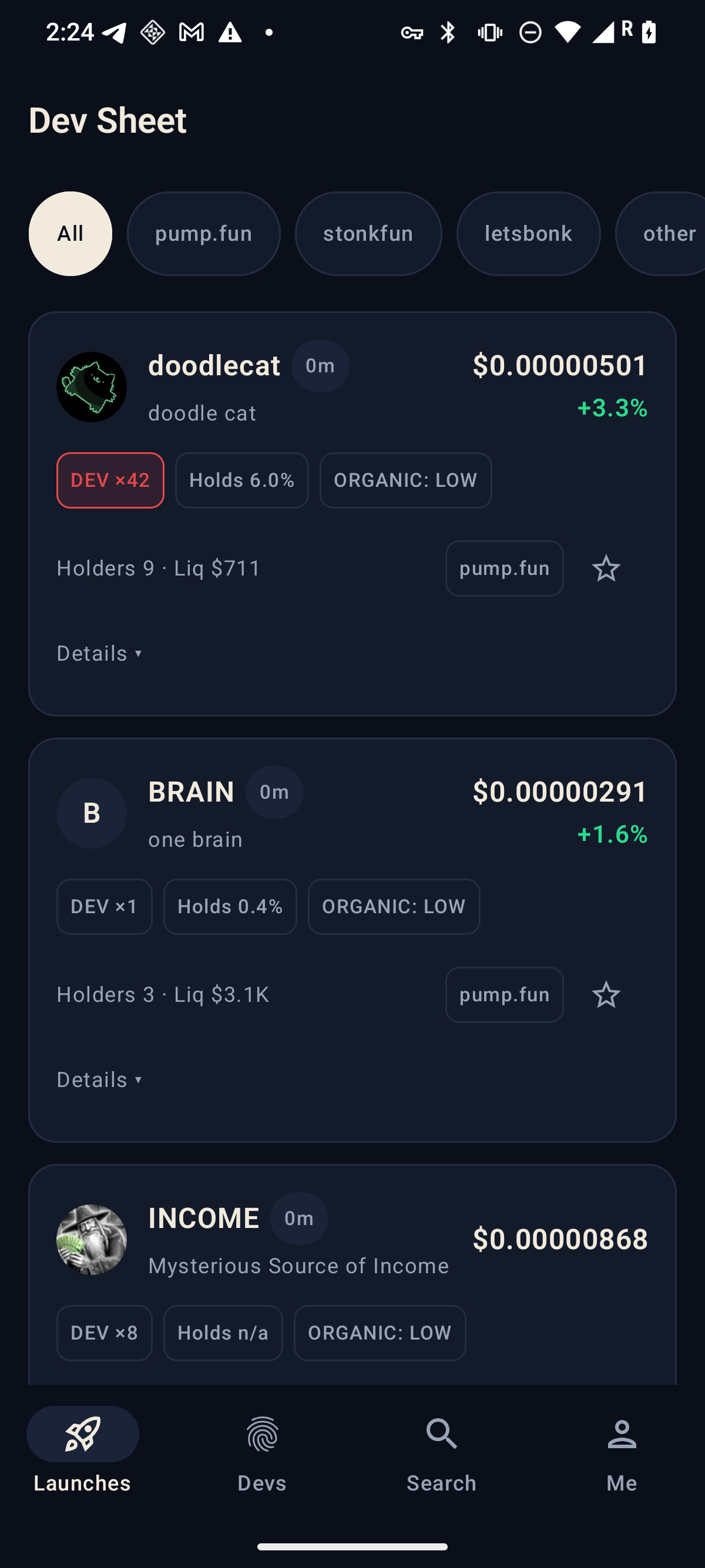
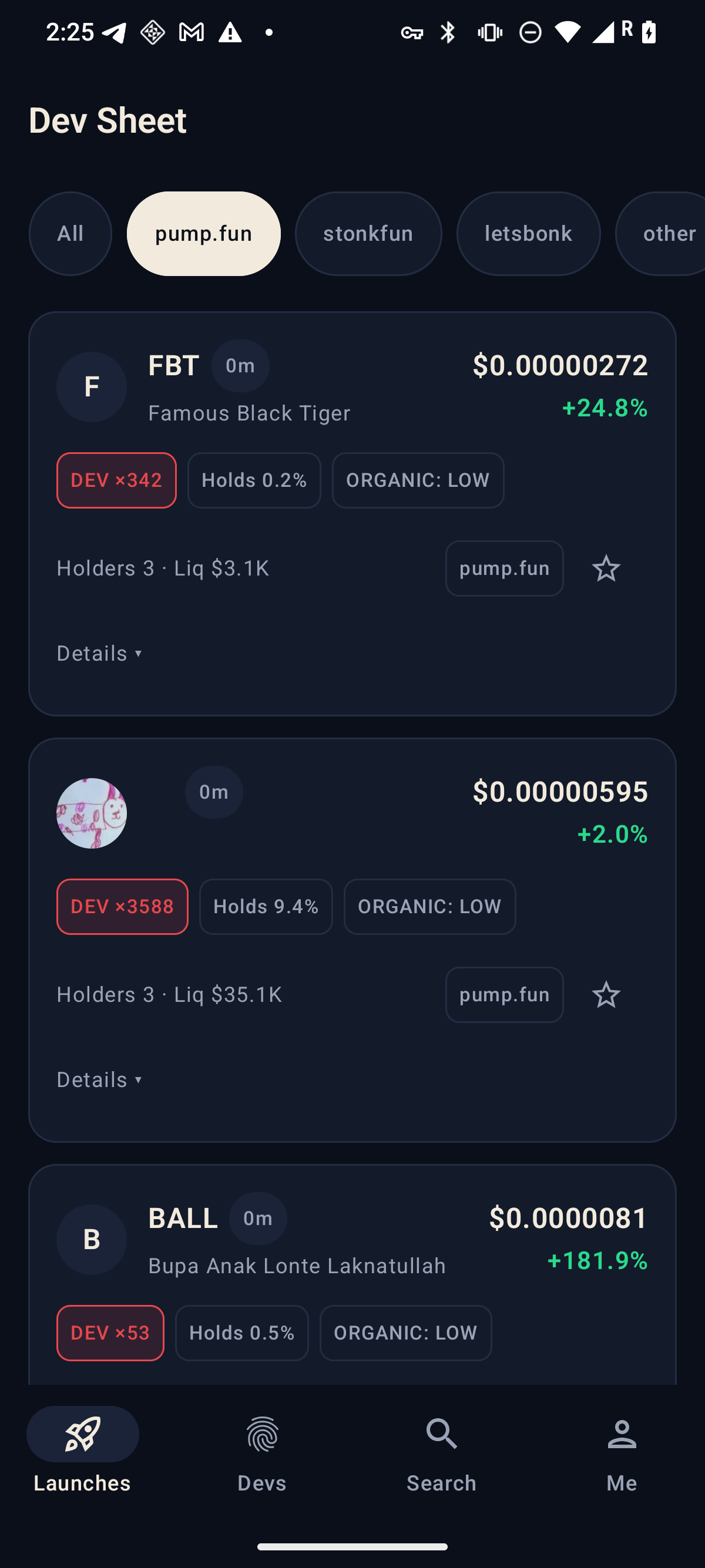
The freshest Solana launches with dev-record chips: lifetime dev-minted count, dev hold %, mint/freeze authority flags, holders, liquidity, and the launchpad it came from. A filter row narrows the tape to pump.fun, stonkfun, letsbonk, or other — and pull-to-refresh keeps it live.
Tab 02
Devs
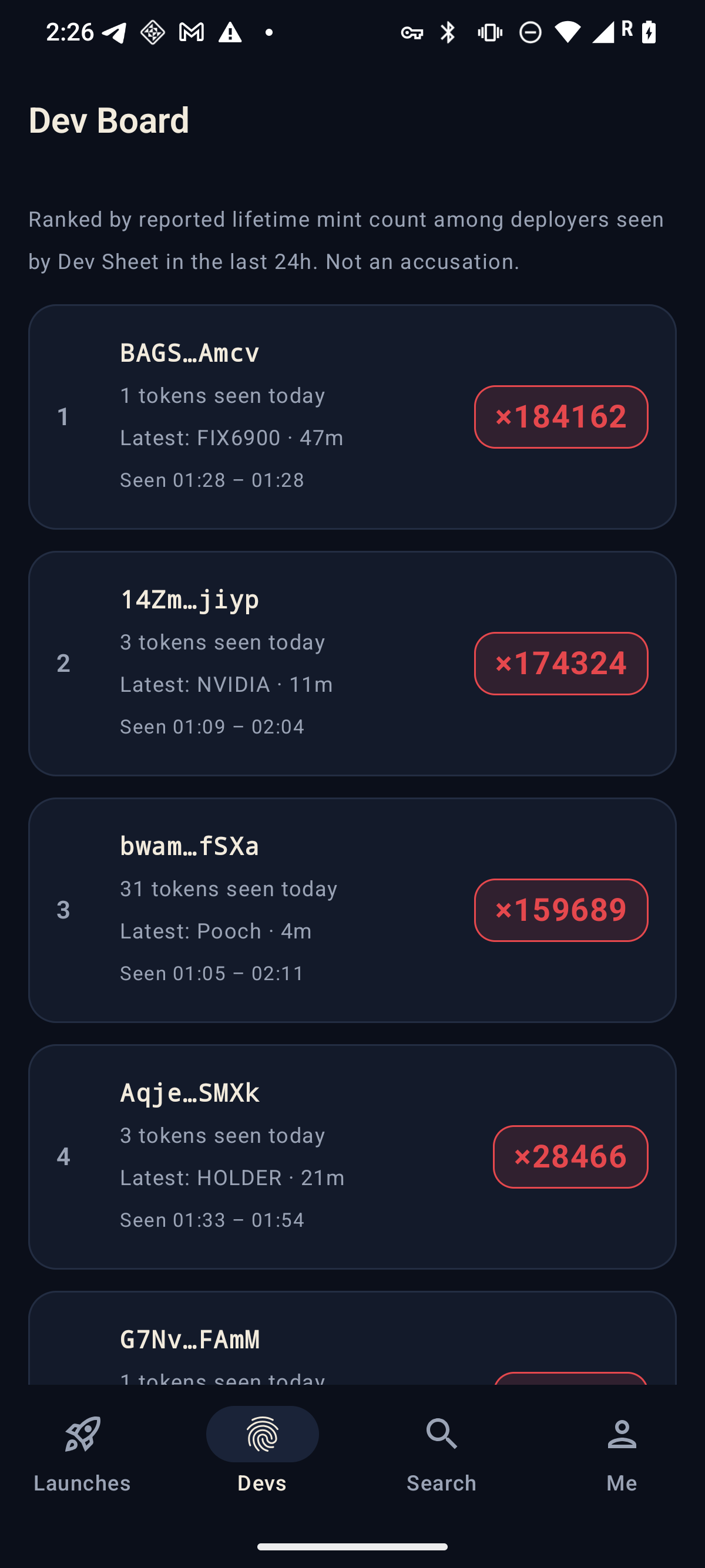
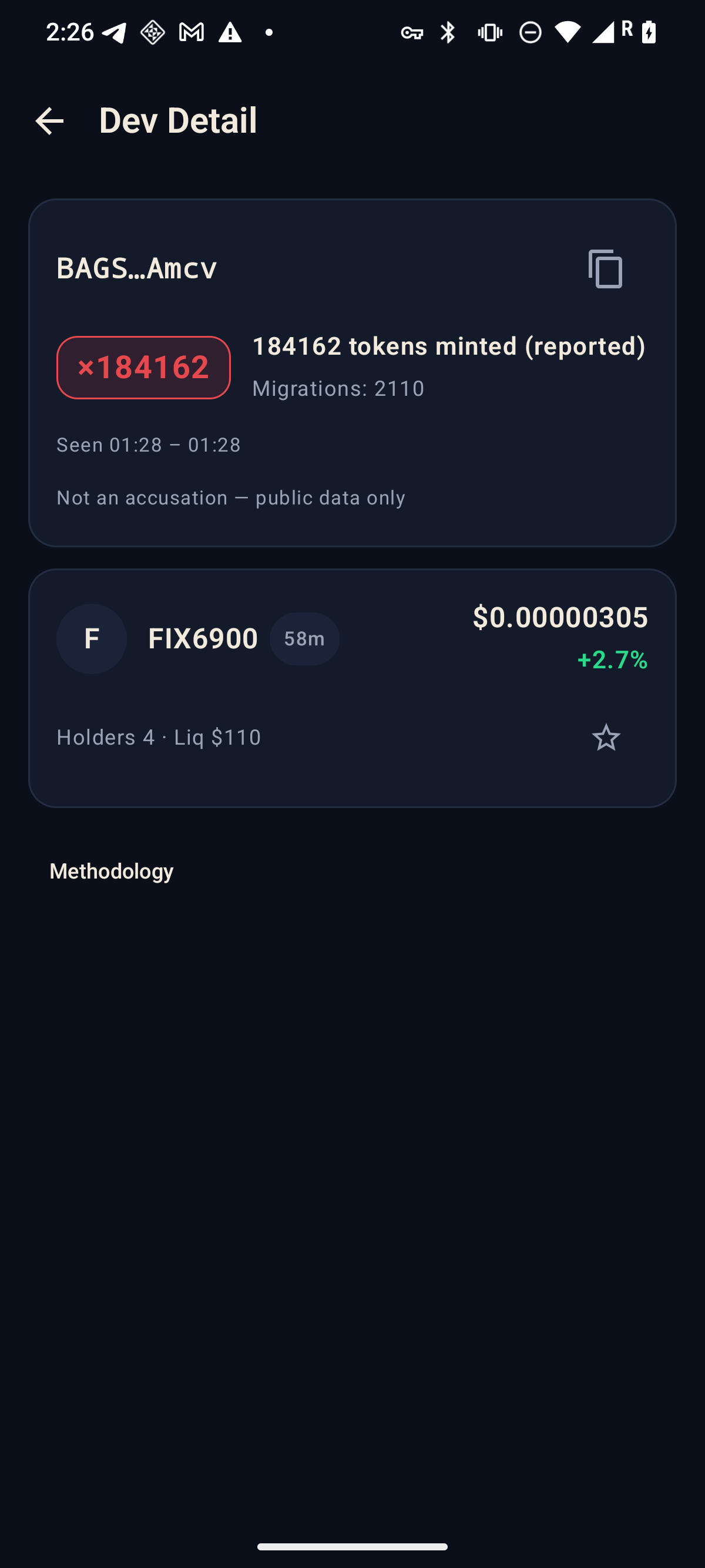
The Dev Board ranks deployers seen by Dev Sheet in the last 24 hours by their reported lifetime mint counts — with a plain-language caption and “not an accusation” right on the screen. Open any dev to see their recently seen tokens with live market snapshots.
Tab 03
Search
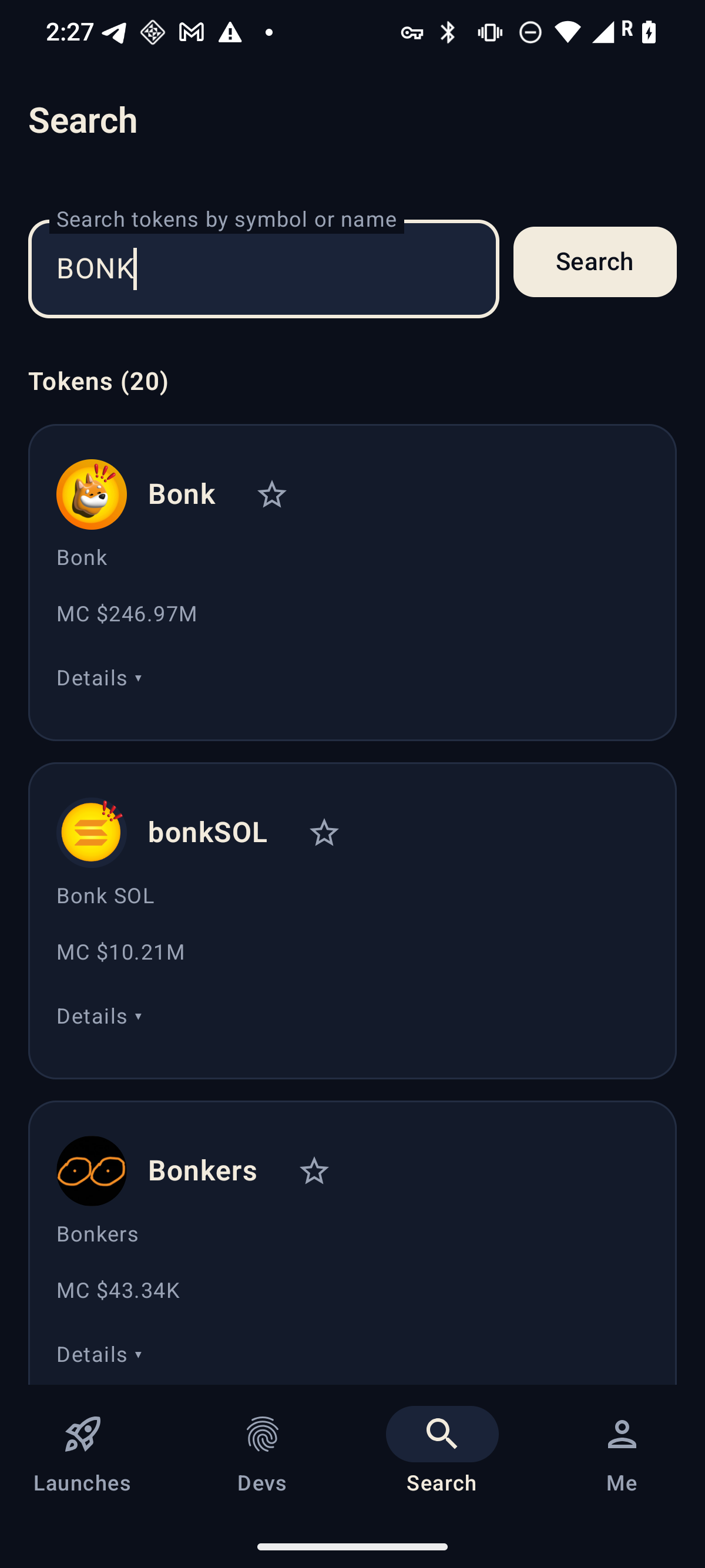
Search the live Solana token universe by name, symbol, or mint address. Result rows carry the same dev-record chips whenever the token is in the current window — and the app never fabricates a chip that isn’t there.
Tab 04
Me & watchlist
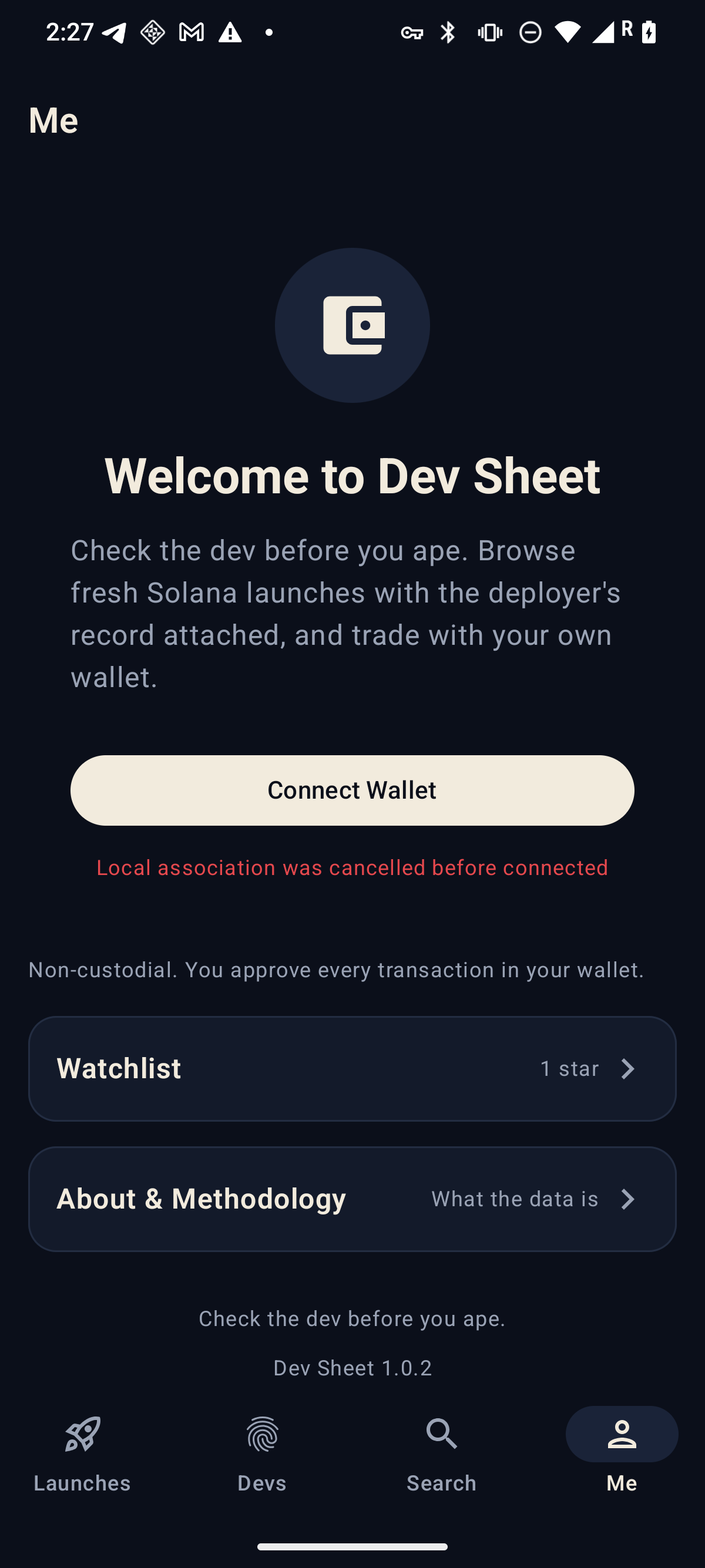
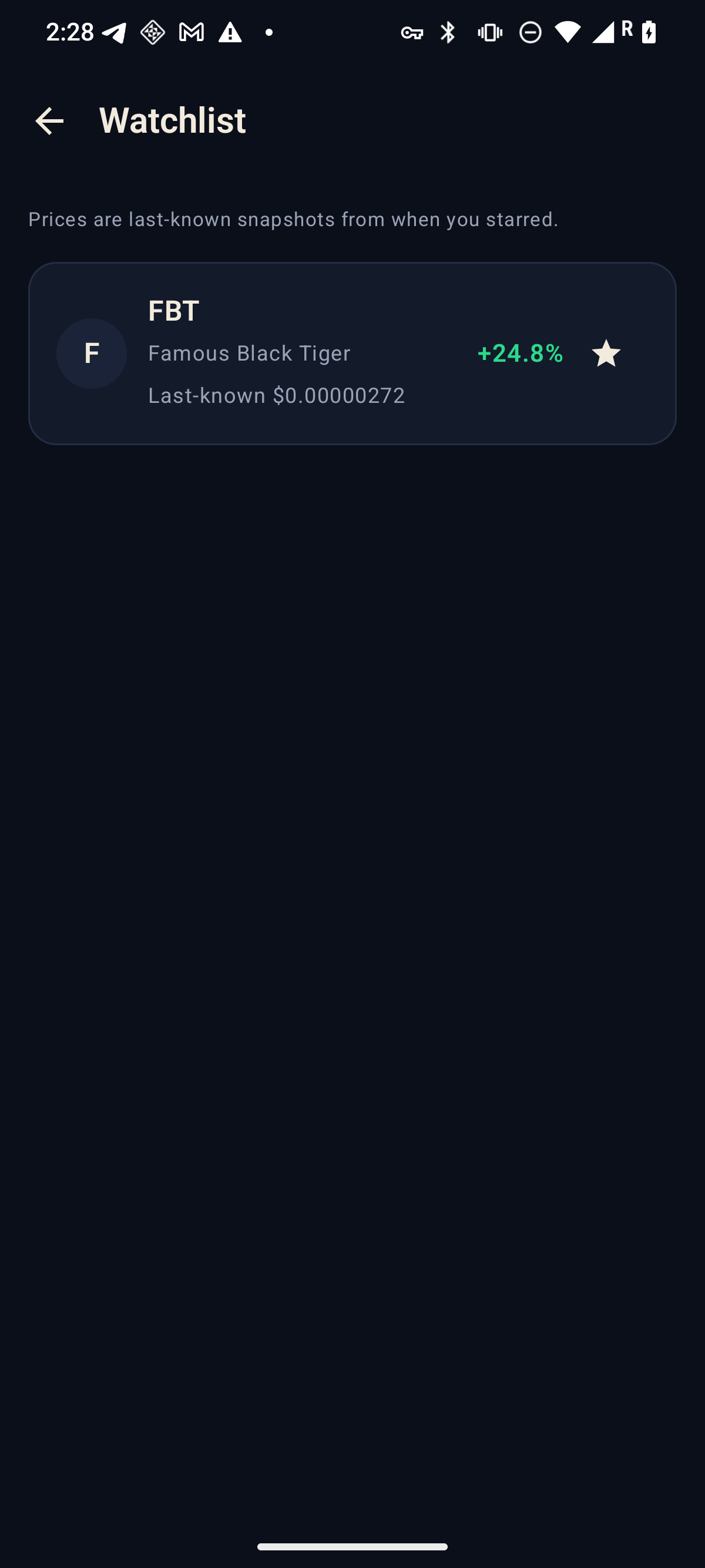
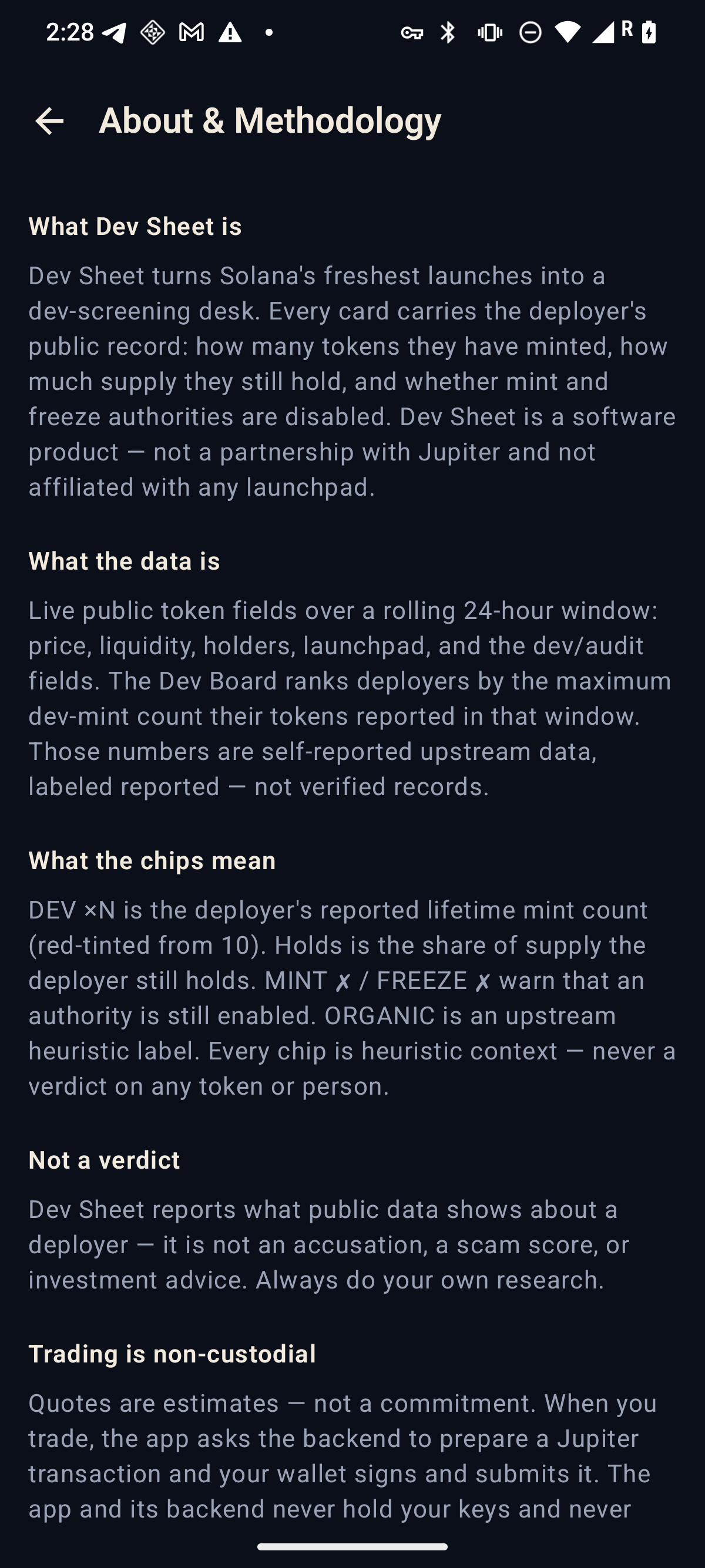
Connect a Solana Mobile wallet for a signed-message identity and balances, star tokens anywhere they appear to keep a watchlist — stored on your device only — and read the full methodology and disclaimers in the app.
Trading, non-custodially
You hold the keys
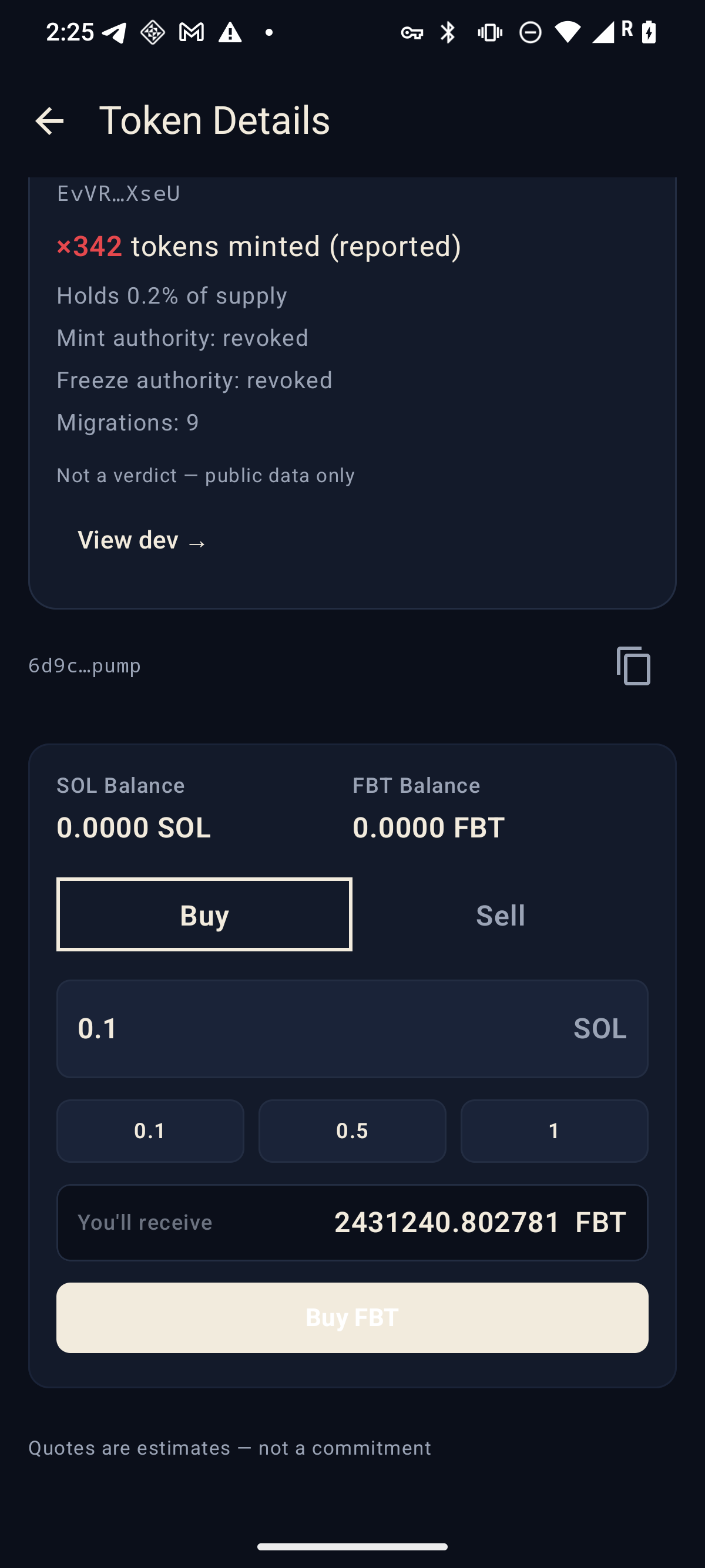
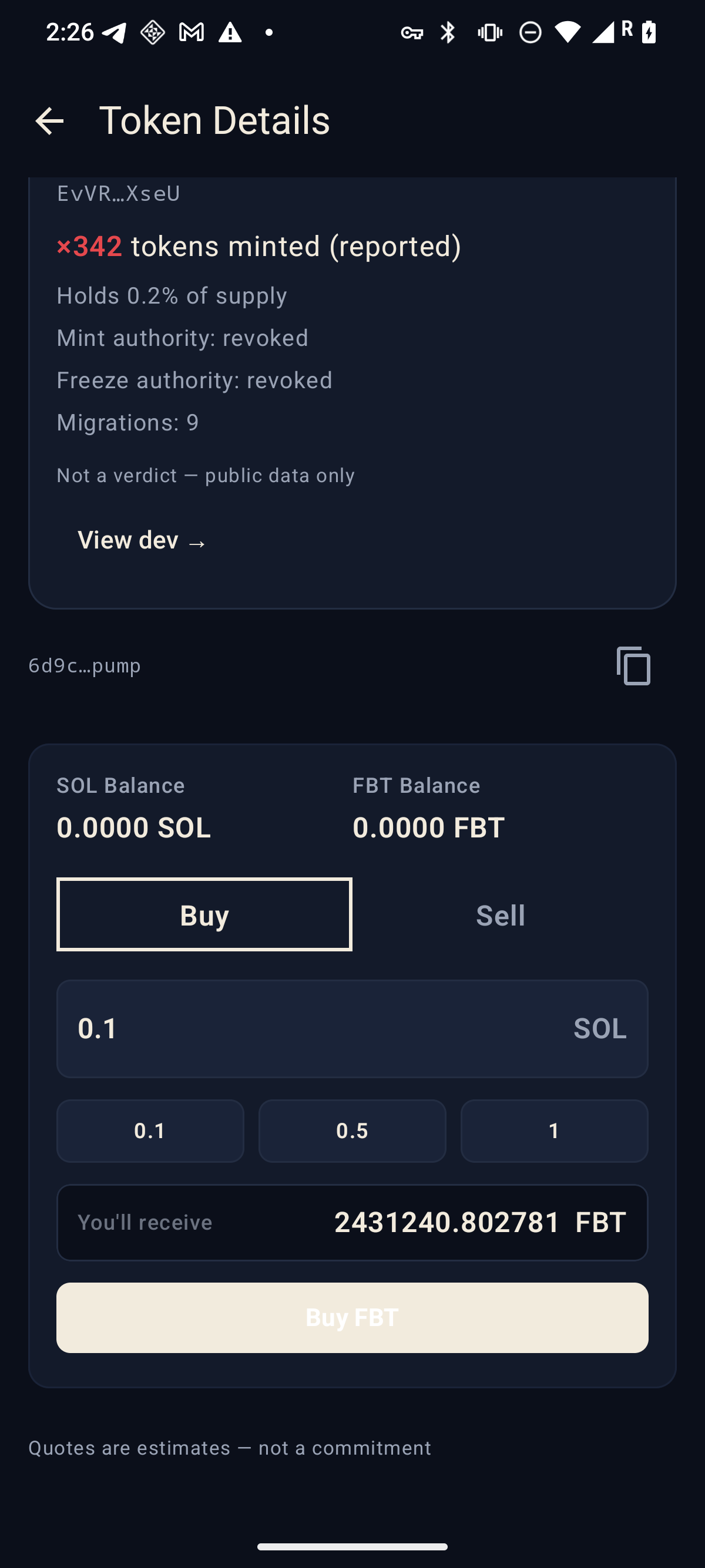
Connect your Solana Mobile wallet and trade non-custodially through the Jupiter quote path inside any token page: check the live quote (labeled “estimates — not a commitment”), then approve or reject the transaction in your own wallet. Dev Sheet never takes custody, never holds keys, and never signs anything for you — cancel, insufficient funds, and no-route states are shown truthfully, exactly as they happen.
The record
Every card, stamped on arrival.
This is the chip language stamped across every launch, search result, and dev token row — the deployer’s record, before you tap Buy.
The deployer’s reported lifetime mint count. Red-tinted from ×10 up — a signal, not a sentence.
Holds %
How much of the supply the deployer still holds. When the field is missing, it honestly says n/a.
MINT ✗ / FREEZE ✗
The mint or freeze authority is still enabled — i.e. not revoked. A risk flag worth checking, never a verdict.
ORGANIC
An upstream organic-score heuristic (low / med / high) on the token’s activity.
Holders · Liq
Holder count and liquidity snapshot at the time of reporting.
Launchpad chip
Where the token launched — pump.fun, stonkfun, letsbonk, or other.
Illustrative values shown for anatomy only. The app reports whatever the public data shows — and shows n/a when a field is missing, never a made-up number.
Methodology
How it works
No sign-up, no wallet gate — the tape is browsable the moment the app opens.
Watch the tape
Fresh Solana launches stream in from public token data (Jupiter’s public tokens v2 fields), polled continuously into a rolling 24-hour window.
Stamp the record
Each card is stamped with the deployer’s reported record — lifetime mints, remaining supply, authority flags — before you ever tap Buy.
Rank the board
Deployers seen in the last 24 hours are ranked by reported lifetime mint count, with the ranking rule captioned right on the Dev Board.
You decide
Open the token, read the record, check the dev. If you trade: connect your Solana Mobile wallet and approve every transaction yourself — non-custodially.
The fine print, up front
Truthfulness rules
The same rules the app follows are the rules this page follows.
Reported, not a verdict
Dev Sheet reports what public data shows about a deployer. It is not an accusation, a scam score, or affiliated with Jupiter.
Heuristics only
Authority flags, hold percentages, and organic labels are heuristics — signals to check before you trade, never conclusions.
24-hour honesty
The Dev Board covers deployers seen by Dev Sheet in the last 24 hours — a rolling window, not an all-time registry, and the app says so.
n/a is honest
When a field is missing from public data, Dev Sheet shows n/a. It never renders 0 for unknown data or invents a number.
Non-custodial
Connect your Solana Mobile wallet and trade non-custodially through the Jupiter quote path. Quotes are estimates — not a commitment, and every transaction is approved in your wallet.
Not affiliated
Dev Sheet is not affiliated with Jupiter, Solana, pump.fun, or any launchpad. Their names and marks belong to their owners — see the IP declaration.
Receipts
The app, unretouched.
Real screens from the shipped Android build, captured on a Solana Seeker during device verification.
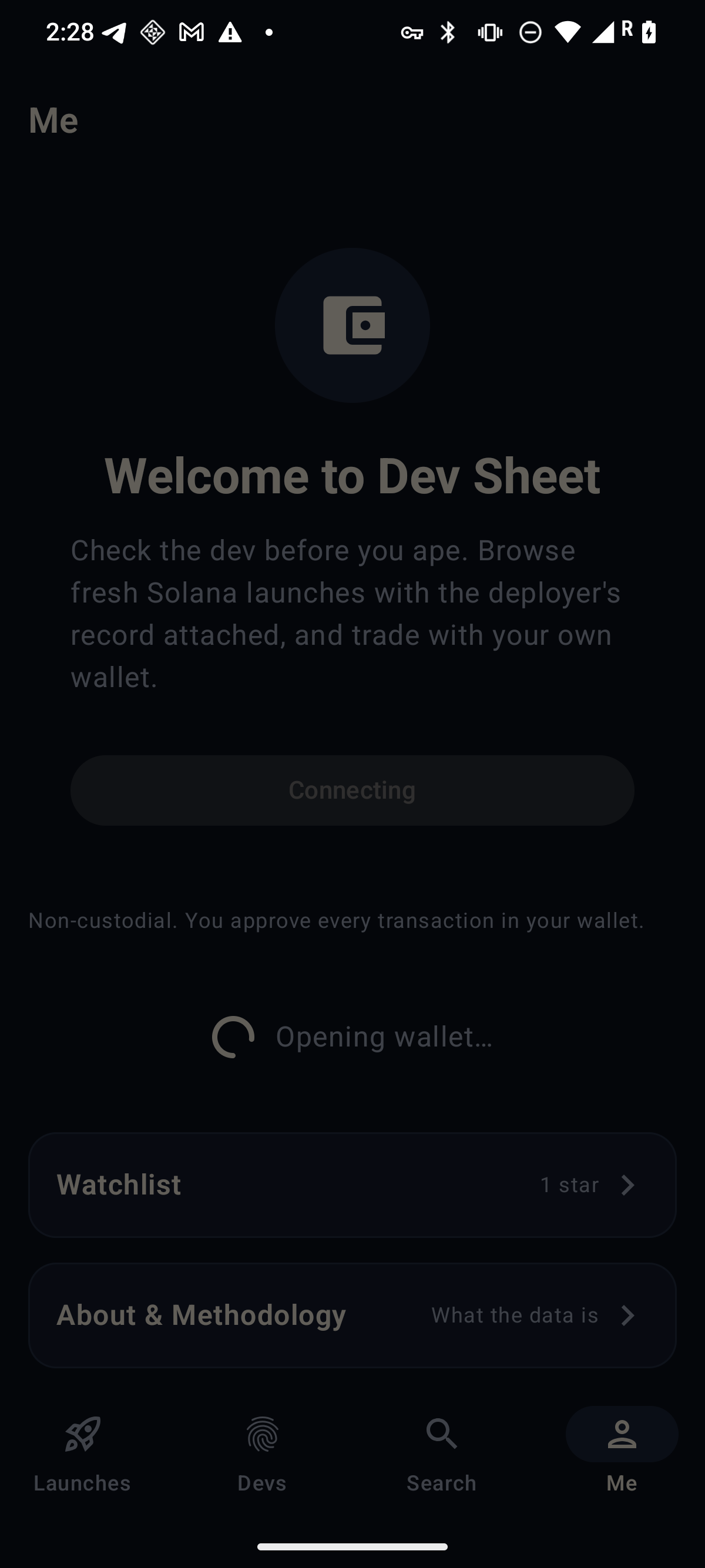
Launches The freshest launches with dev-record chips.Filters The tape narrowed to one launchpad.Token detail The DEV SHEET record card, additive to the market data.Trading Quote preview labeled “estimates — not a commitment”.Dev Board Ranked by reported lifetime mints, last 24h.Dev detail One deployer’s recently seen tokens.Search The live token universe by symbol, name, or mint.Me Wallet connect, watchlist, methodology — non-custodial.Watchlist Starred tokens, stored on this device only.About What the data is — and what it isn’t.Wallet connect The app hands off to your Solana Mobile wallet.
Captured from the release build (version 1.0.2) during device verification on a Solana Seeker, Android 16. Screens show live production data as it appeared at capture time.
Sideload — no store listing
Get Dev Sheet
The signed release build, served straight from this site. No account, no wallet gate — install and browse the tape.
Dev Sheet 1.0.2 (versionCode 3) · 13,192,111 bytes SHA-256 244399c793961c7dc84b2ef80a214e847004f8b04f5d86655a70c983f02cd035
Download the APK on your Android phone and open it.
When prompted, allow installs from your browser (Settings → Install unknown apps).
Launch Dev Sheet — the Launches tab opens immediately; connect a Solana Mobile wallet only when you want to trade.
Verified on a Solana Seeker (Android 16) during device testing. Trading requires a Solana Mobile Wallet Adapter wallet on your device: quotes are estimates — not a commitment, and you approve every transaction in your wallet. Dev Sheet reports public data; heuristics are never a verdict.